Series · Part 2 of 2

An Enterprise Agent Platform on My Laptop, in 8 Containers
The agent platform on a laptop, screen by screen: start the stack, deploy a Langflow and a LangChain agent, wire up models, chat, approve.
Part 2 of 3: running it locally. Part 1 covers the design, and Part 3 (coming soon) takes it to production on Kubernetes. Code: ovsec/agent-platform and ovsec/langchain-demo-agent.
In Part 1 I described the design. In this part we run it. By the end you’ll have the whole platform on your laptop, with two very different agents behind the same gateway: a Langflow agent that asks a person before it acts, and a LangChain agent in its own container that calls tools.
Before you start
Install these on your laptop:
| Tool | Why | Install |
|---|---|---|
| Docker with Compose v2 | runs the eight platform services and the code agent | Docker Desktop (macOS, Windows) or Docker Engine (Linux) |
| uv | runs the Python scripts (publish.py, e2e.py) with their dependencies | curl -LsSf https://astral.sh/uv/install.sh | sh |
| Ollama | the local model, running on the host | brew install ollama or the installer, then ollama pull qwen3:4b |
| git, openssl, python3, curl | clone the repos; the setup scripts use the other three | preinstalled on macOS and most Linux distributions |
Clone the platform and the code agent side by side, because the commands below use ../langchain-demo-agent:
git clone https://github.com/ovsec/agent-platform
git clone https://github.com/ovsec/langchain-demo-agent
cd agent-platform
Ollama must be listening on localhost:11434. The containers reach it as host.docker.internal, which the compose file maps on Linux too.
Once the stack is up, these are the addresses you’ll use:
| Service | URL |
|---|---|
| Portal | localhost:3100 |
| agentgateway: agents / admin UI / LLM for runtimes | localhost:4100 / 4101/ui / 4102 |
| Langflow Builder / Runtime | localhost:7870 / 7880 |
| Keycloak | localhost:8180 |
1. Start the stack
./scripts/init-env.sh      # .env with random secrets
docker compose up -d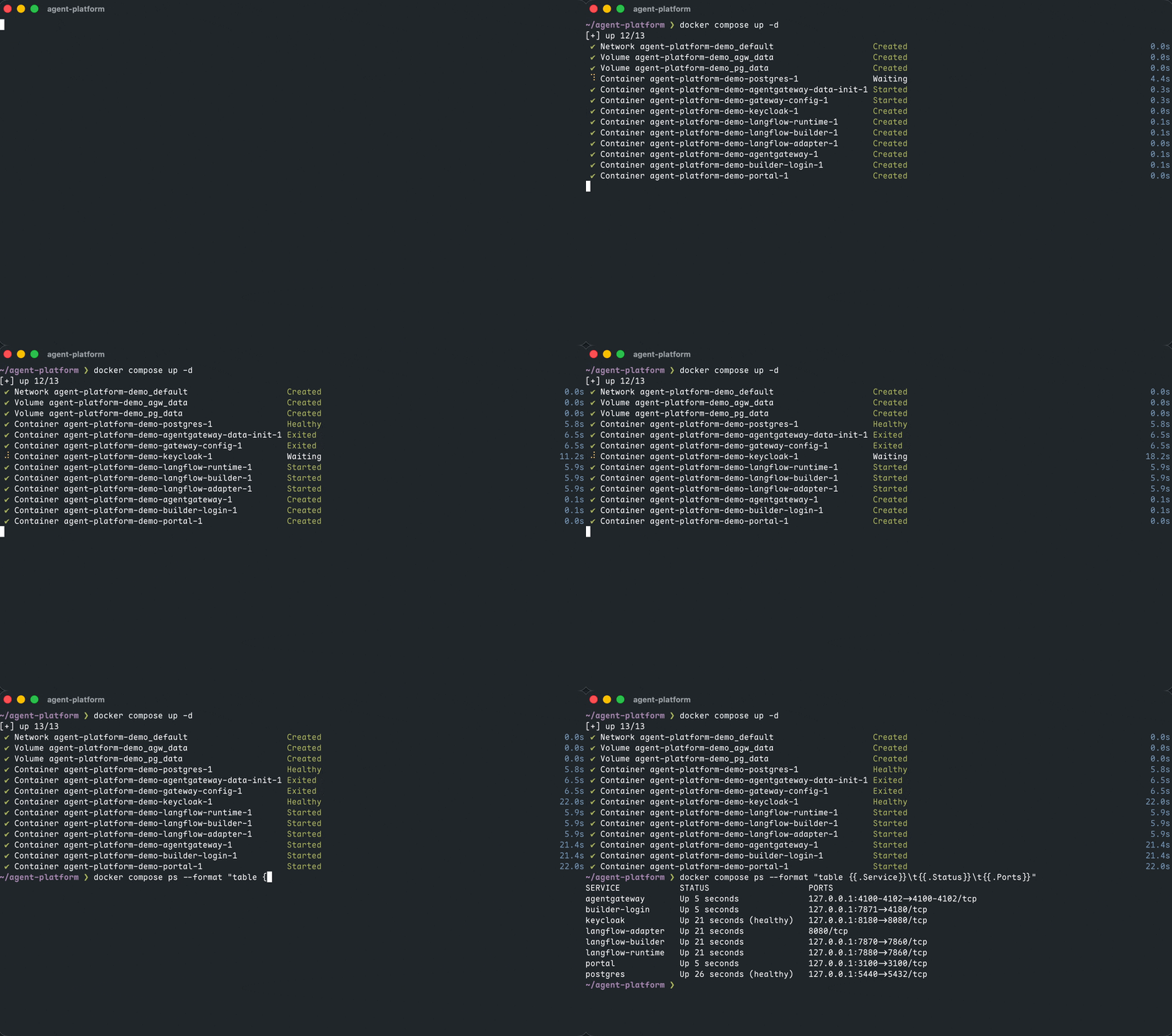
2. Deploy two agents
The code agent needs its own gateway key. Create one, add it to the platform’s .env, and give the same value to the agent:
KEY=$(openssl rand -hex 24)
echo "LANGCHAIN_DEMO_GATEWAY_KEY=$KEY" >> .env
cp ../langchain-demo-agent/.env.example ../langchain-demo-agent/.env    # then set GATEWAY_KEY=$KEY there
Then deploy:
./scripts/bootstrap-runtime-key.sh                                 # gateway → Langflow key
uv run scripts/publish.py deploy test-agents/hitl-demo --builder   # Langflow agent
(cd ../langchain-demo-agent && docker compose up -d)               # code agent container
uv run scripts/publish.py deploy ../langchain-demo-agent           # its route + catalog entry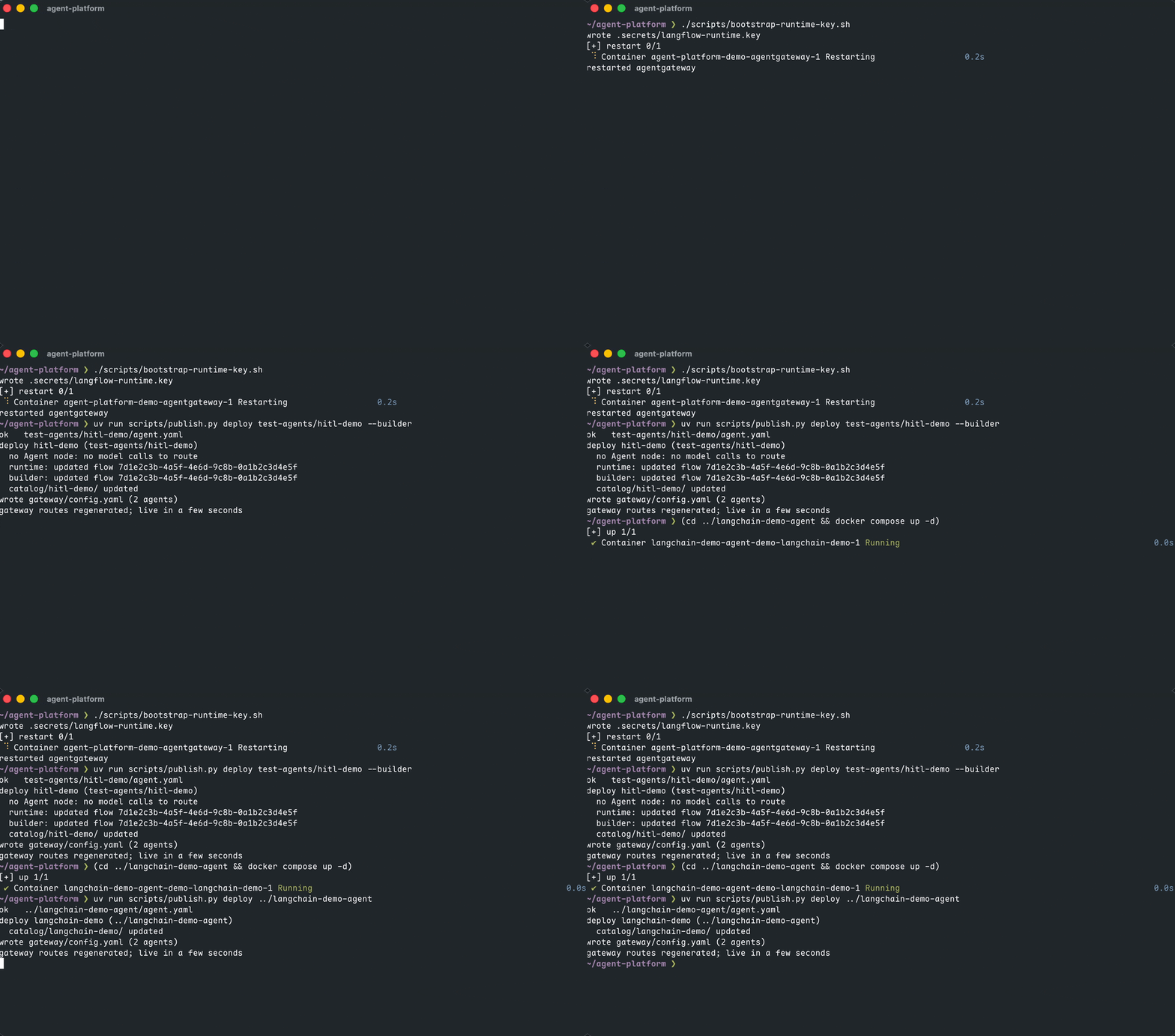
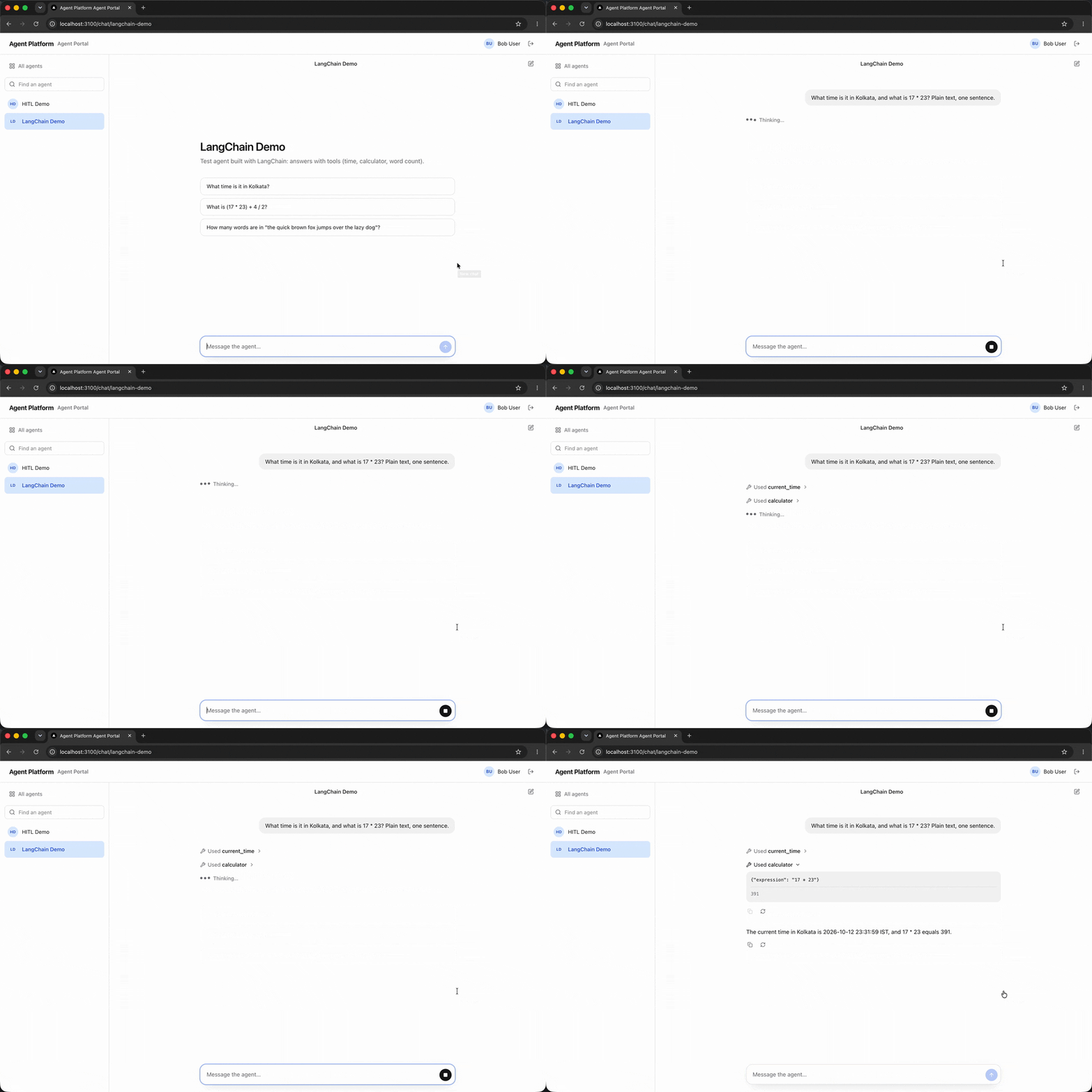
hitl-demo(Langflow) pauses every request for Approve / Reject. It uses no model.langchain-demo(runtime: agui) is a LangChain agent withcurrent_time,calculatorandword_counttools, served byag-ui-langgraph. For this agent,publish.pyonly adds a route. It never touches the container.
3. Add a model
Providers live in the gateway’s database, not in git. In the admin UI (agent-admin role), add Ollama, then a model route ollama/* that strips the prefix:
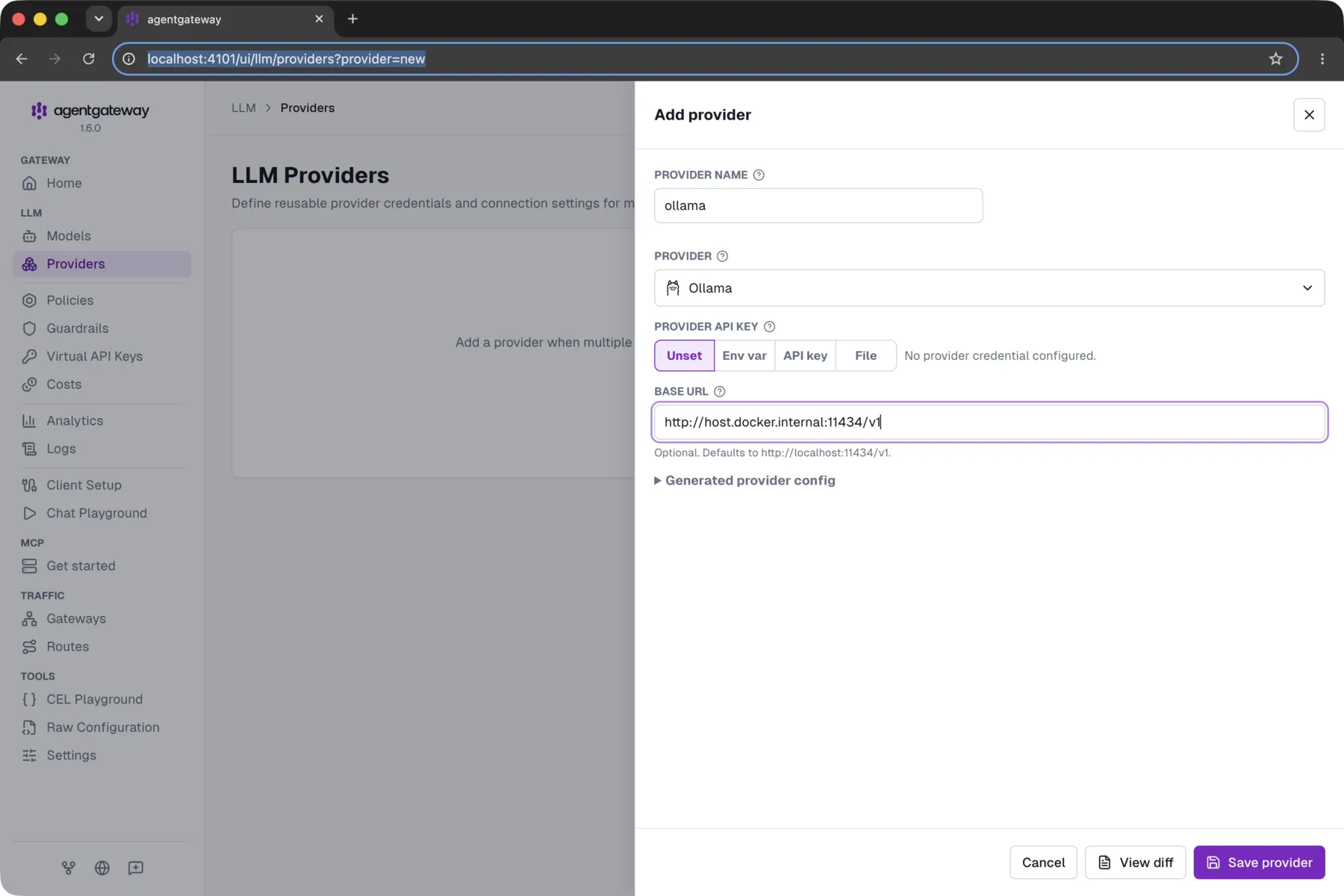
The code agent calls http://agentgateway:4102/v1 with the key from step 2. The gateway config stores only the key’s hash.
One thing tripped me up here. The LLM endpoints have to be attached to the services gateway, but mine defaulted to admin-ui, and the UI wouldn’t let me change it. Model calls returned route not found until I changed it through the same admin API the UI uses:
PUT /api/config/resources/llm.settings/default
{"value": {"gateways": ["services"]}, "revision": 1}
4. Check end to end
uv run scripts/e2e.py --model-agent langchain-demo --prompt "What is 17 * 23? Use the calculator."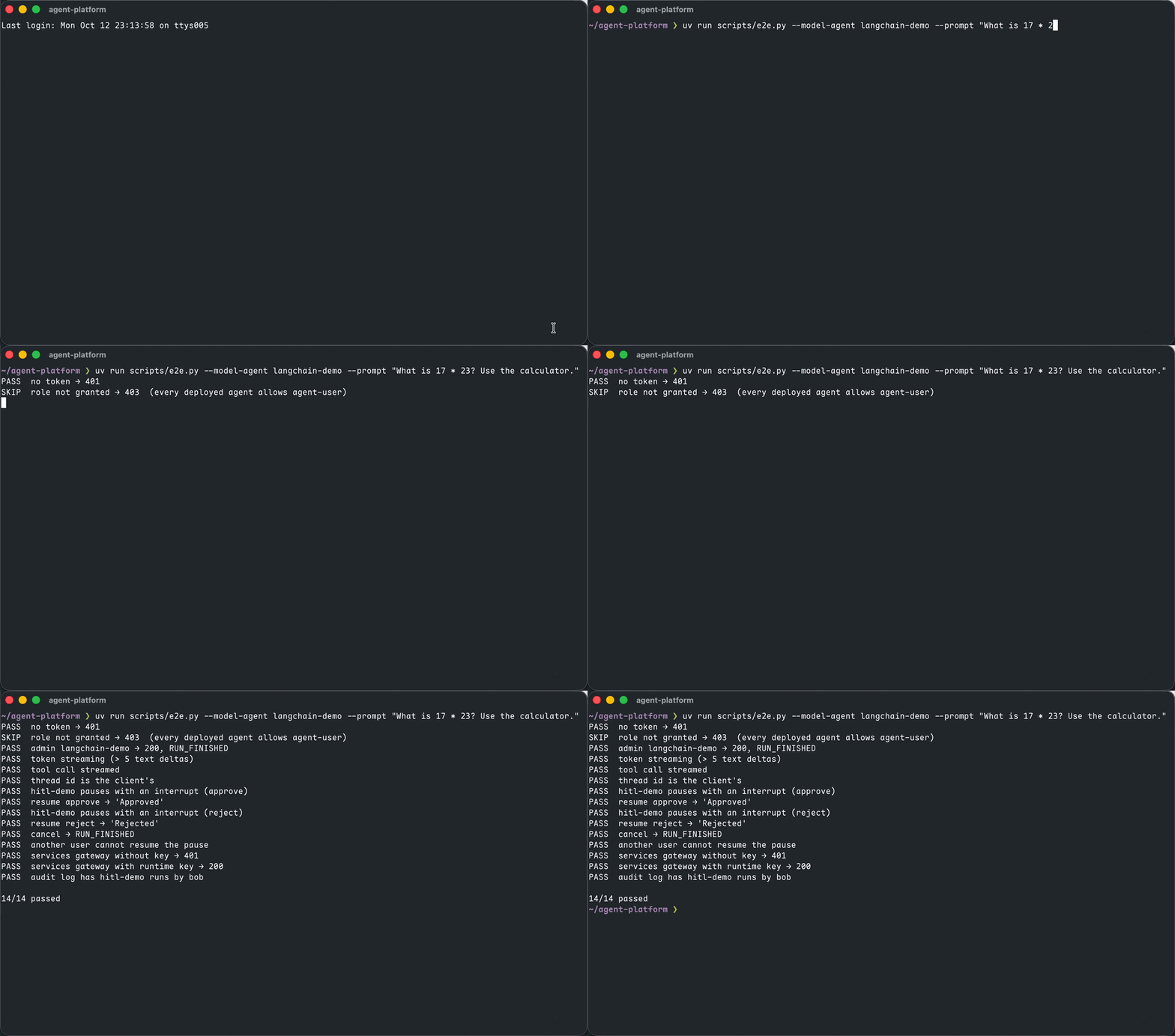
5. The portal
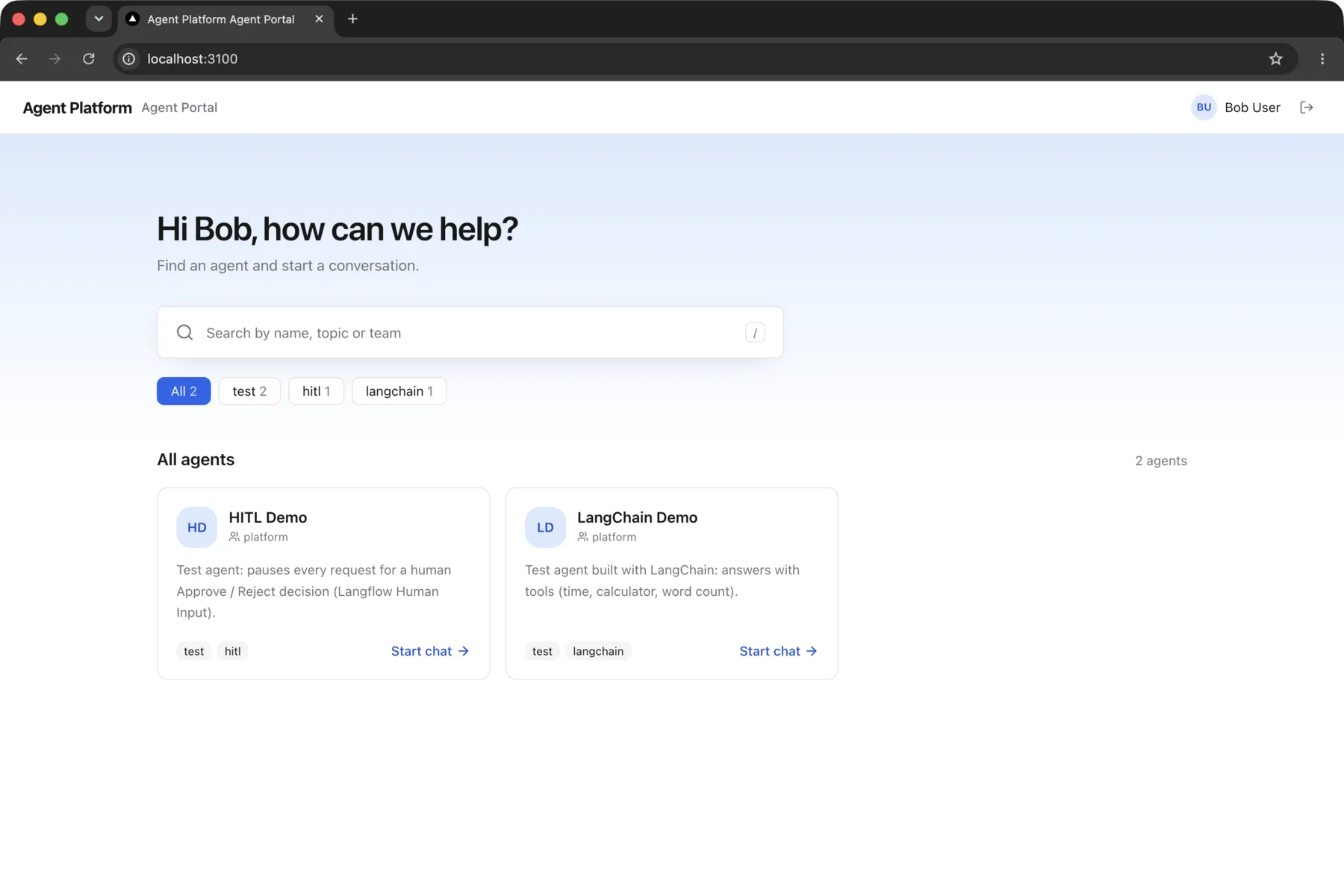
Open localhost:3100 and sign in through Keycloak as the test user bob. The catalog shows only the agents Bob’s roles allow:
Ask the LangChain agent something that needs its tools, and each tool call streams in as a card:
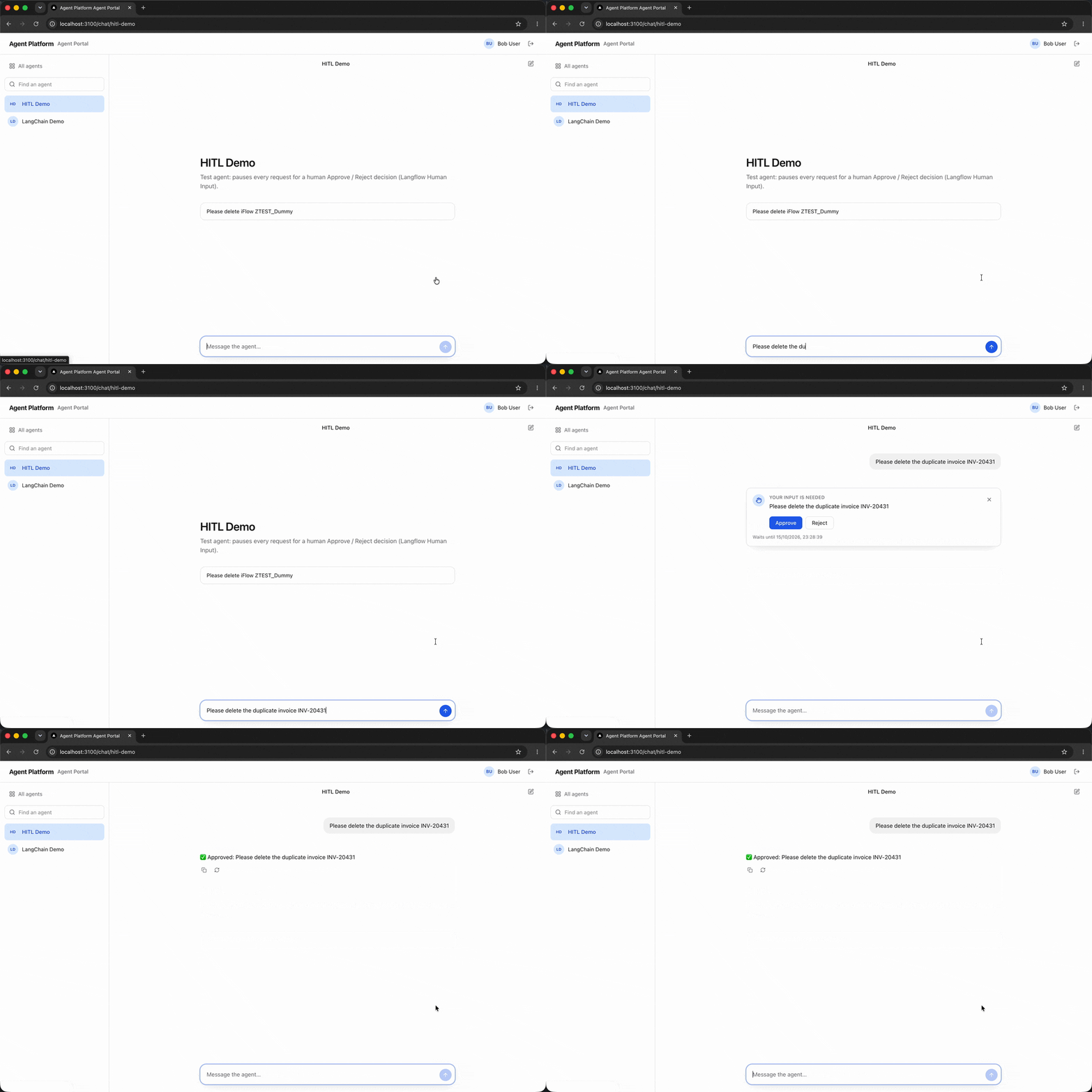
Now ask the Langflow agent to do something. It pauses, and the portal shows the standard approval card:
6. The gateway’s view
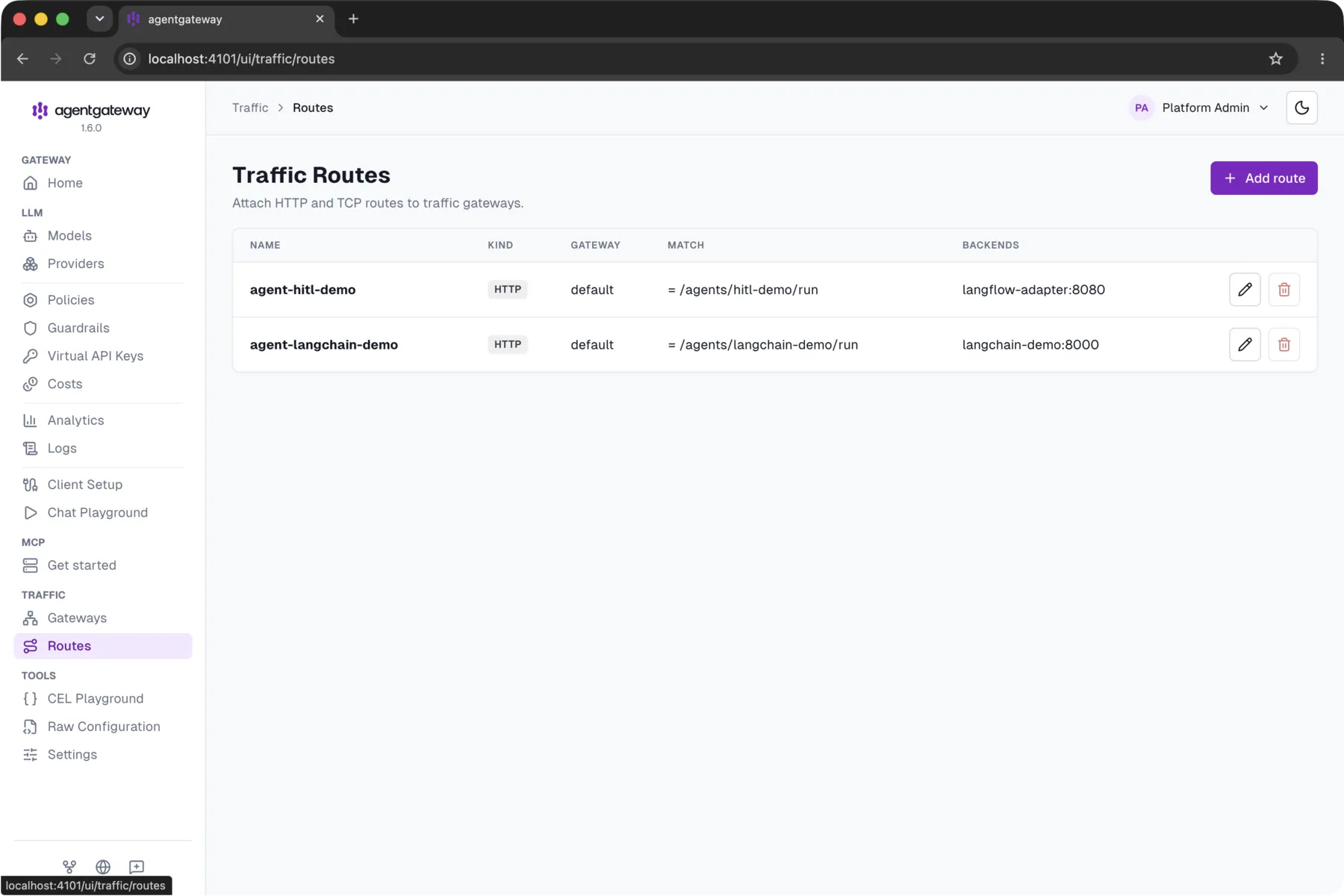
In the gateway’s admin UI you can see one generated route per agent. The Langflow agent’s route goes to the adapter, and the code agent’s goes straight to its container:
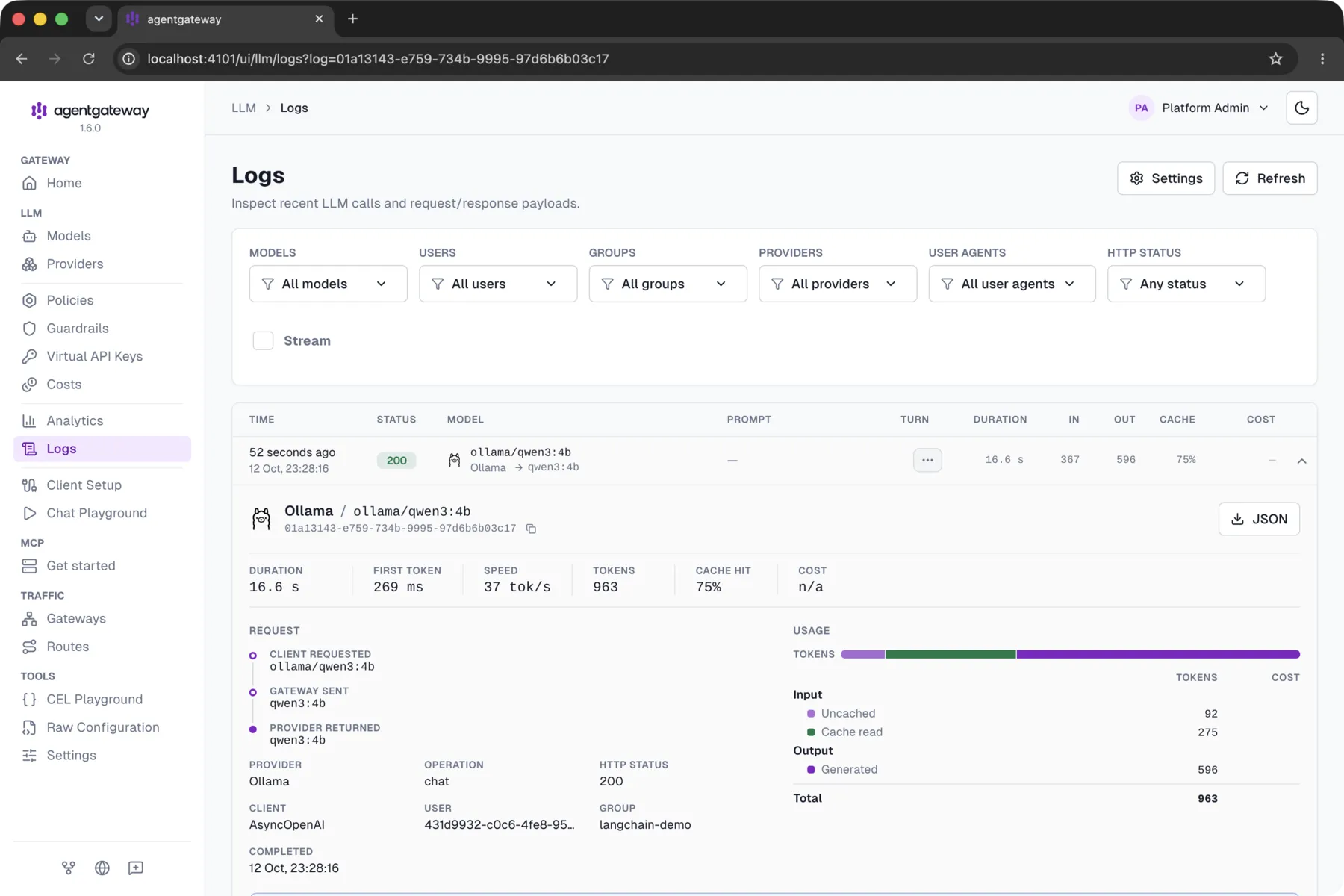
Every model call is logged and tied to a user and an agent. The agent shows up as the group:
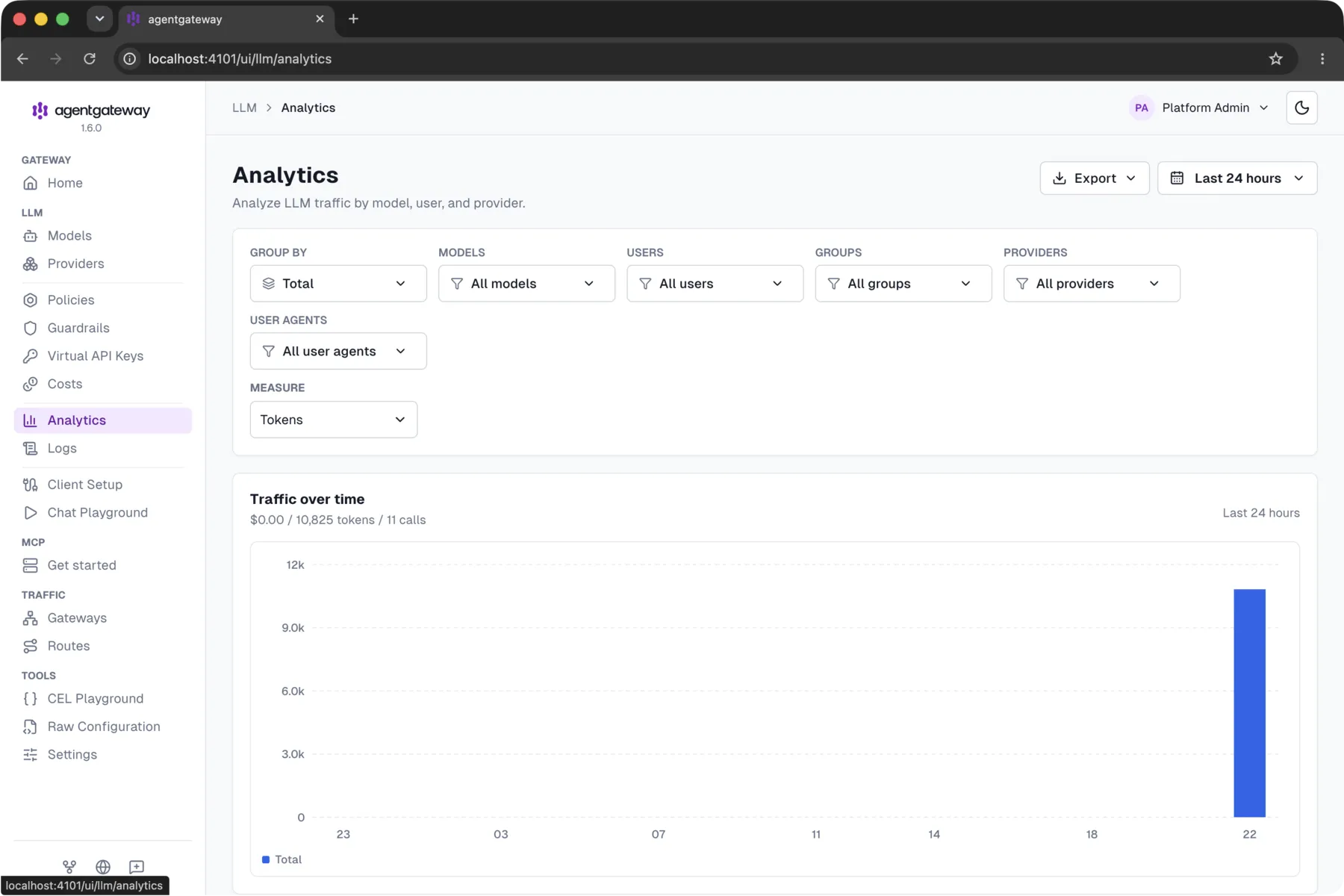
The Analytics page adds it up: tokens, calls and cost over time, grouped by user, by agent or by model. Cost shows $0.00 here because the model is a local Ollama. With hosted models, the same view becomes your LLM bill, split by team and agent.
7. Building in Langflow
Developers build visual agents in the Langflow Builder at localhost:7870. In the demo flow, the pause is a single Human Input node:
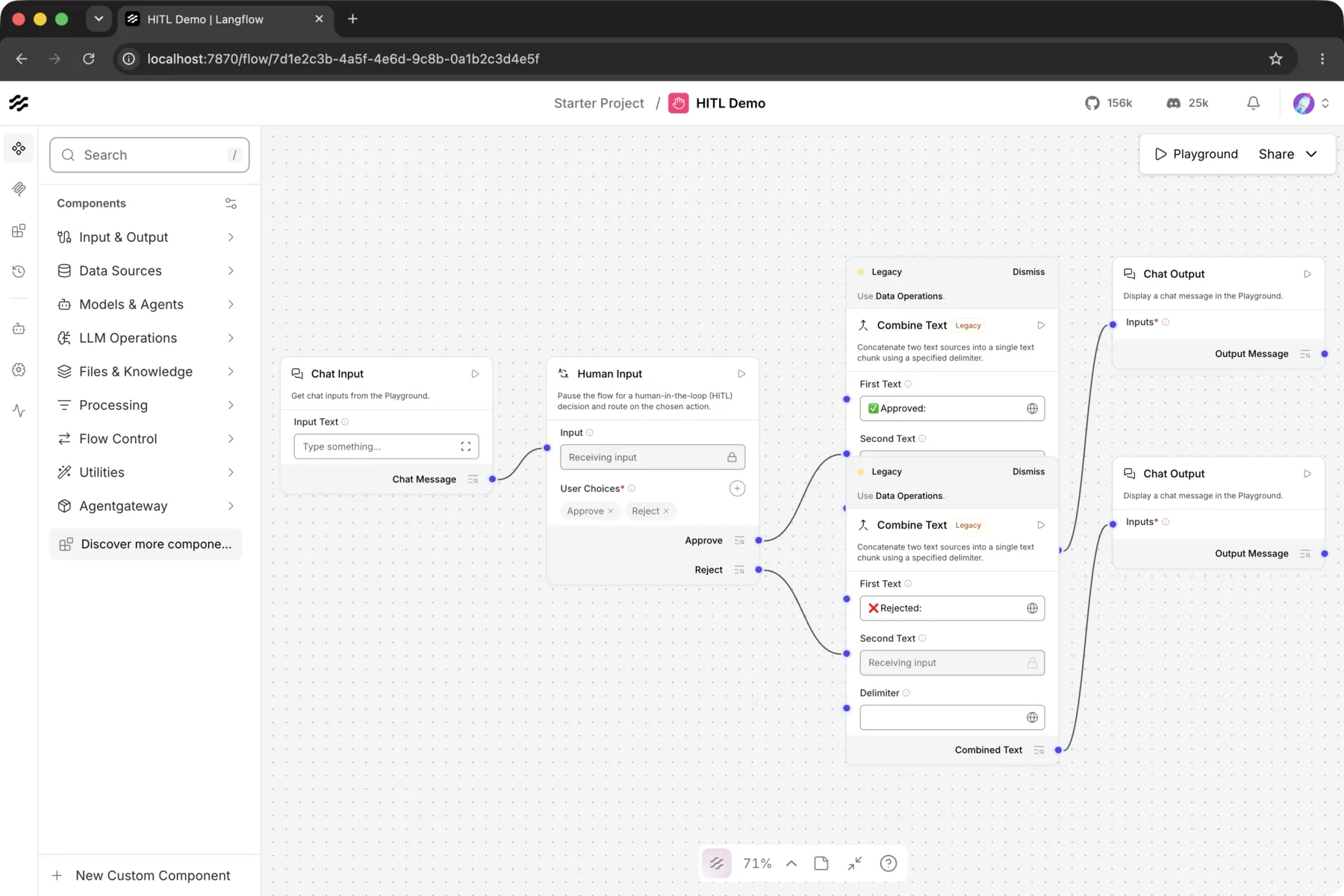
publish.py pull "<flow name>" <agent folder> exports the flow into the team’s repo. Along the way it routes every Agent node’s model calls through the gateway, using the platform’s agentgateway Model component. From there it’s the same deploy as in step 2.
What this setup gives us
- The whole platform on one laptop. Eight services start with one command, and none are reachable from outside the machine.
- Two runtimes, one experience. A visual Langflow agent and a LangChain code agent sit behind the same route shape, login and portal, and the portal needed no changes for either.
- Agents without restarts. Deploying an agent is one command, and its route is live within seconds.
- Human approval, end to end. The agent pauses, a person approves in the portal, and the job continues. Only the person who started the run can resume it.
- Usage and cost in one place. No agent holds a provider key. Every model call goes through the gateway, logged per user, agent and model, with tokens and cost.
- A contract test.
e2e.pychecks auth, streaming, tools, approvals and the audit log in about 17 seconds, so every change can be verified the same way. - A path to production. The same agent folders move to stage and prod through each team’s repo. Part 3 (coming soon) covers running the platform itself on Kubernetes.
Good to know
- Restart
agentgatewayafter recreating Langflow containers. Recreated containers get new IPs, and the gateway keeps the old ones until it restarts. - Keycloak imports the realm only into an empty database. To change users or roles, reset that database.
- Langflow doesn’t load flows at startup. After a reset, run
publish.py deploy --all. - Thinking models are slow on a laptop. qwen3:4b used 3,100 tokens to say “Hi there friend”.
Coming next: production on Kubernetes
Part 3 takes this platform from a laptop to a production Kubernetes cluster: the gateway, runtimes and portal as deployments, agents released from agent-catalog, and your company’s identity provider in place of Keycloak.
Built on open source: agentgateway, AG-UI, Langflow, assistant-ui, LangGraph, Keycloak, Ollama and Qwen3.
Building an Agent Platform · 2 of 2 published
- 1 Every Team Built an AI Agent. Nobody Knew Who Used Which Model, or What It Cost.
- 2 An Enterprise Agent Platform on My Laptop, in 8 Containers
Related posts
Part 15 — AI Demystified
How Do You Know AI Is Actually Working?
Demos always look good. Production AI degrades silently. Here's the evaluation framework — from exact match to human review — and how to catch hallucinations.
Read
Part 0 — AI Demystified
5 Mental Models You Need Before Diving Into AI
Before you learn how AI works, learn how to think about it. These five mental models will save you hours of confusion.
Read
Get new posts in your inbox
No spam. No digest. Just a note when I publish something new.
Discussion
On this page